Reports and metrics
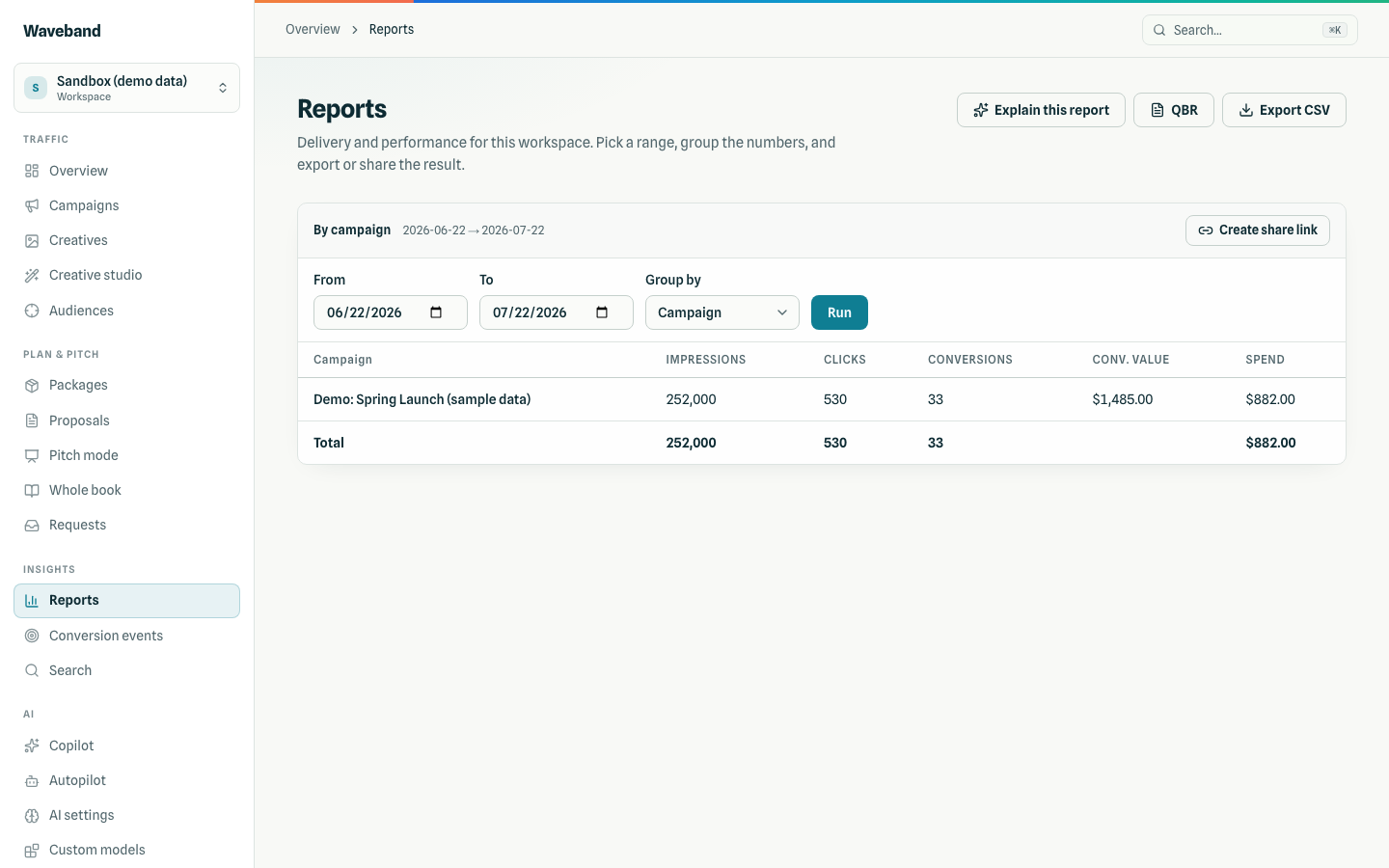
Reports read one source for every surface: the Reports page, CSV export, share links, the QBR, GET /api/v1/reports, and agent tools all return the same numbers. Pick a date range and a grouping: day, campaign, line item, creative, or channel.
Metrics
| Metric | Definition |
|---|---|
| Impressions, clicks | As reported by the delivery platform. Until a day's report lands, our own impression pixel and click redirect fill in, so today shows numbers early. |
| Spend | Media cost, including ad-serving fees the delivery platform charges (for example a serving fee on large video files). It does not include your Waveband platform fee, which posts separately on the billing ledger. |
| Conversions, conversion value | First-party attributed conversions and their value (see below). |
| Starts | Video and audio plays. |
| First quartiles, midpoints, third quartiles, completes | Plays that reached 25%, 50%, 75%, and 100%. |
| Completion rate | Completes divided by starts. Empty when nothing played (display). |
The page shows starts, completes, and completion rate; the CSV and API include every quartile. Grouped by creative, numbers come from the delivery report only (no early pixel fill-in), and conversions are empty because attribution is per line item, not per creative.
Conversions and attribution
Conversions are first-party: your site tag records them and Waveband attributes each one at most once, through the strongest lane available (click, then same visitor, then household for CTV and DOOH). Windows are set per conversion event on the Conversion events page: a click window of 1 to 90 days (default 30) and a view window of 0 to 30 days (0 turns view-through off). A conversion that matches no defined event uses 30 days click and 7 days view. Setup and lanes: Tracking and pixels.
Freshness
- Days are Eastern time, the same days your budgets and billing use.
- Delivery reports refresh every 2 hours and re-read the last 3 days; once a day, the last 7 days are re-read. Recent days can move up or down as the delivery platform restates them, and billing follows the restated numbers.
- Pixel impressions and clicks appear within about an hour; spend waits for the report.
Export, share, and QBR
- Export CSV downloads the current view with every column, under your product name.
- Create share link (needs
reports:write) makes a read-only link anyone can open for 30 days without signing in. - Explain this report writes a short narrative of the current view (needs an AI connection).
- QBR summarizes the last 90 days by campaign and channel with a written review; print it to PDF from the browser.
What clients see
Client logins and share links see spend according to the workspace's disclosure setting: platform cost, a marked-up billed rate, or no spend at all (delivery metrics only). Your own staff always see platform cost. See Client portal.